

Articulation Test Center Hive
The smartest, most flexible assessment tool for evaluating articulation and phonology in children and adults with speech sound disorders.
.avif)

Groups of 5 or more can enjoy a free extended trial of the Little Bee Hive, which includes Articulation Station Hive and Articulation Test Center Hive. See how these tools can help your SLPs be more effective and efficient. It’s easy to get started, even if you are using an MDM.



Developed by SLPs for SLPs
As SLPs, we understand how time-consuming it can be to assess speech sound disorders, write reports, and manage everything in between. But it doesn’t have to be!
Check out the overview video and how easy and efficient it is to administer, score a test and generate a report with Articulation Test Center Hive!

- Age-Based Screeners
- Consonants
- Vowels
- Vocalic Rs
- Initial Blends
- Speech Sample Scenes

Screener
Assess the sounds and words that are developmentally appropriate based on the age of your student.


Record Now, Score Later
Flexible and fun. Present the stimulus images to the child, tap record, and have them say the word.
You can score immediately or take your time to review the saved audio recordings later—giving you the flexibility to score when it works best for you.

Stimulus Images That Work
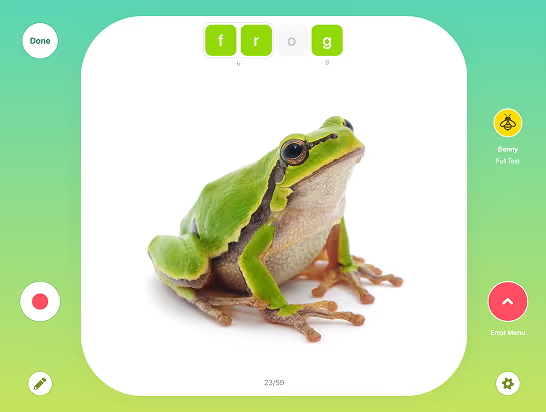
Beautiful and clear. Each stimulus image has been carefully selected, designed to clearly represent the sounds being tested.
These high-quality photographs of real-world objects, set against a clean white background, are simple, engaging, and easy for students to identify––making testing both effective and enjoyable.

Quick & Easy Scoring
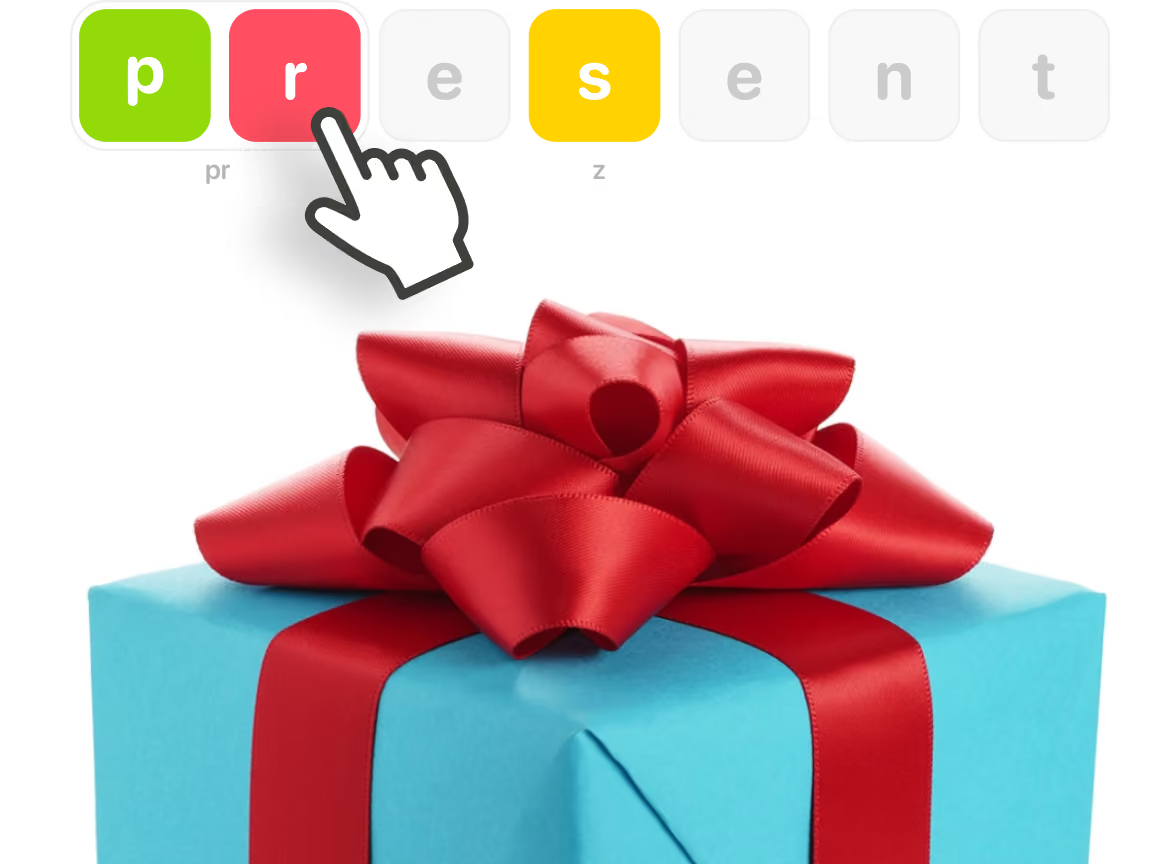
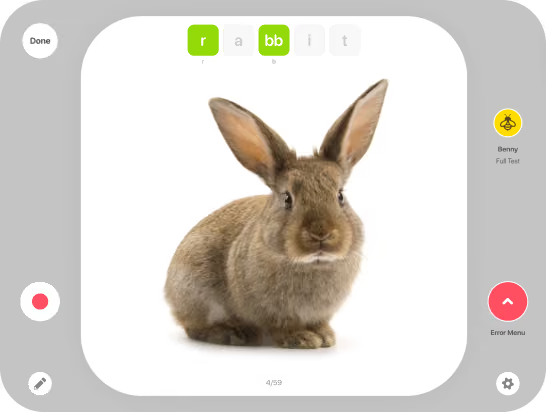
Simply tap. The sounds being evaluated are marked with clear, color-coded tiles at the top of each card.
By default, sounds tested are marked as correct with a green tile. If a sound is incorrect, a single tap will display it in red, while an additional tap marks an approximation in yellow.
This intuitive system makes scoring quick and easy!
Omissions
Drag and drop. To mark an omission simply drag the tile off screen or tap the tile 3 times until the omitted icon appears.

Substitutions, Processes & Distortions
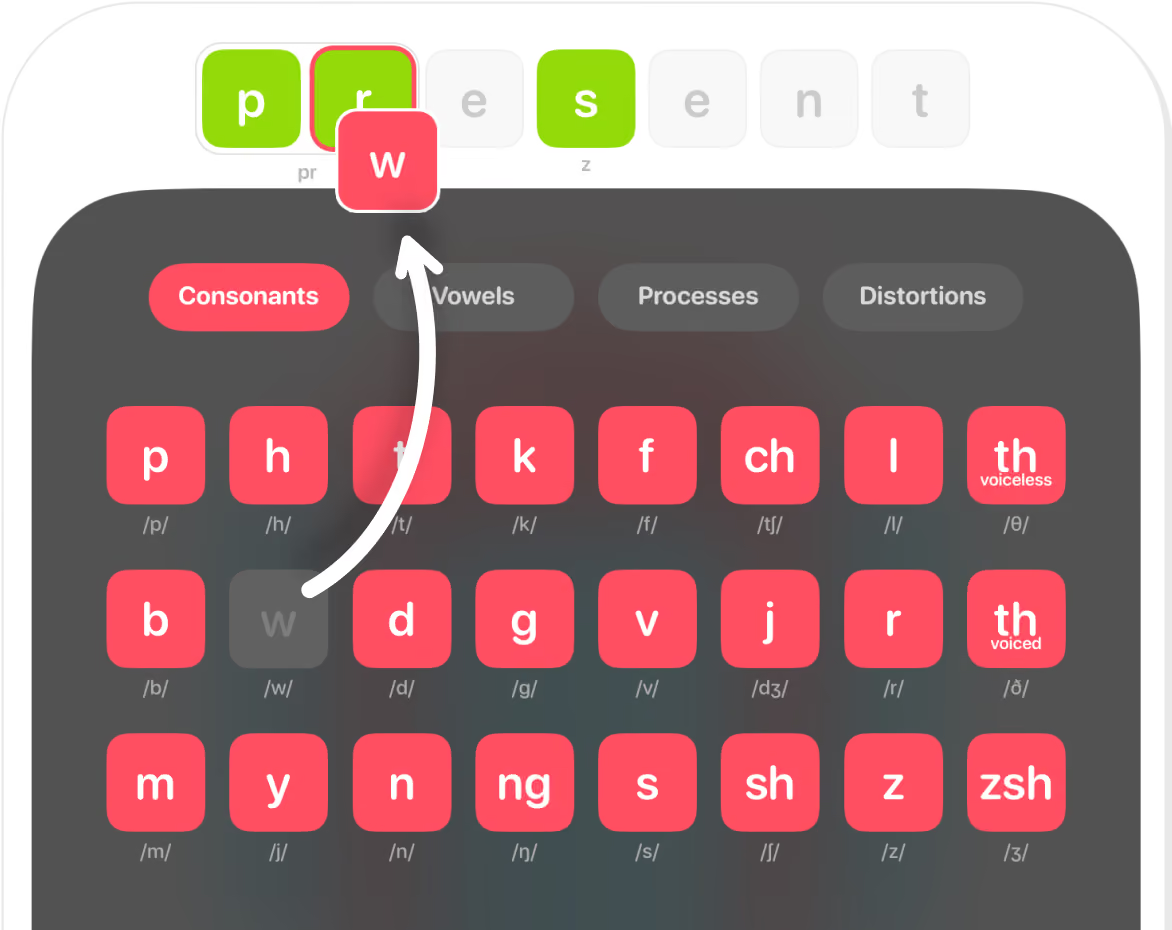
Quick and convenient. Marking substitutions, phonological processes or distortions is easy. From the Error Menu, select consonants, vowels, processes, or distortions.
To mark a substitution, simply drag the red sound tile from the Consonants or Vowels tabs and drop it on the green target sound.
Auto-Marked Phonological Processes
Hassle free. With auto-marking enabled, most phonological processes are automatically applied as substitutions or omissions are marked. However, you can also manually mark them by selecting a process and dragging it onto the relevant green sound tile.
The following phonological processes are marked automatically:





Explore Together

Tap and Talk

Record and Review
time tracked.

Measure Results
Scenes That Get Results
With two engaging and interactive scenes, you can capture audio as the child explores and talks about the environment, allowing for further evaluation of intelligibility, articulation, language skills, MLU, and fluency.

Mountain Adventure Scene
Begin the day with a beautiful morning jeep ride into the mountains and end with roasting marshmallows by a cozy evening campfire. With an abundance of exciting scenes and images in these mountains your learner is going to have a lot to explore and talk about!


Each interactive scene is thoughtfully designed to captivate and engage, offering endless opportunities to elicit and capture conversation.

Home Life Scene
Race home from school, play some of your favorite games, enjoy a delicious dinner, and get ready for the most exciting birthday bash of the year!
Your learners will love joining the Garcia family as they prepare for Mario’s 7th birthday, exploring their warm and welcoming home filled with fun, laughter, and party magic.


Conversation Prompts
Each scene has conversation prompts when an object is tapped to get your learners talking. Each interactive scene offers rich opportunities for conversation and assessment.


Intelligibility Measure
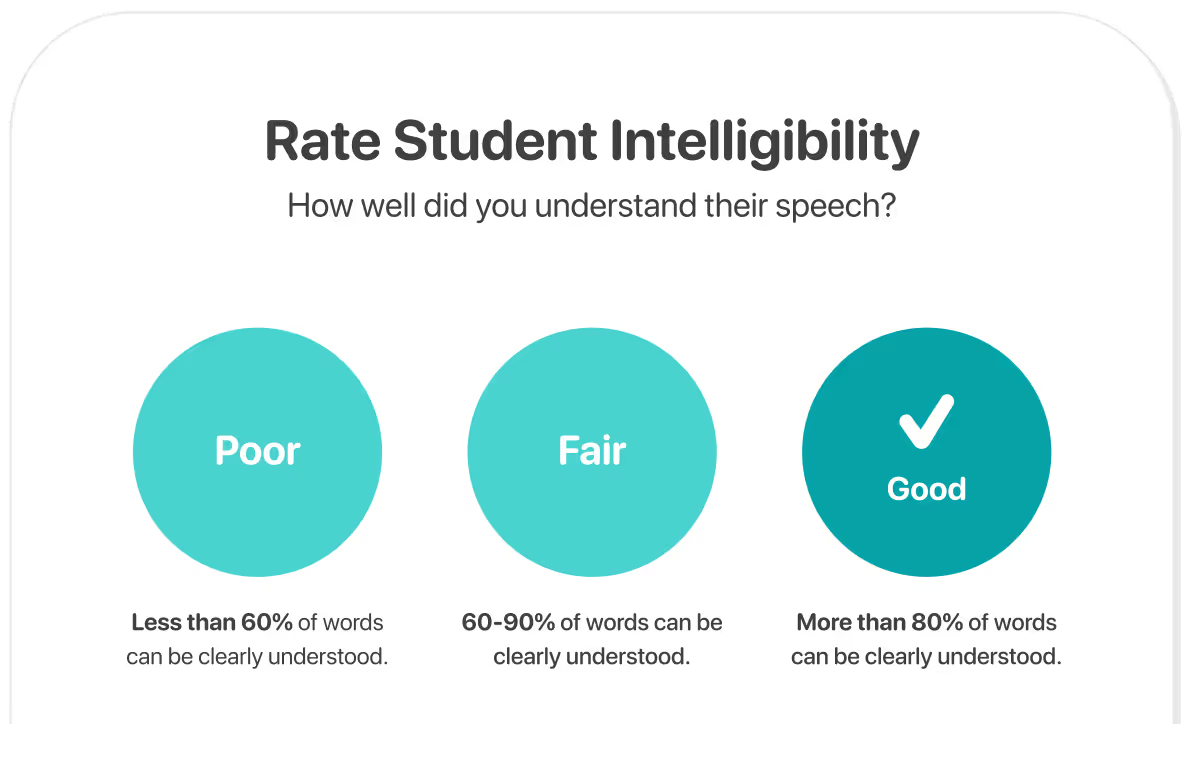
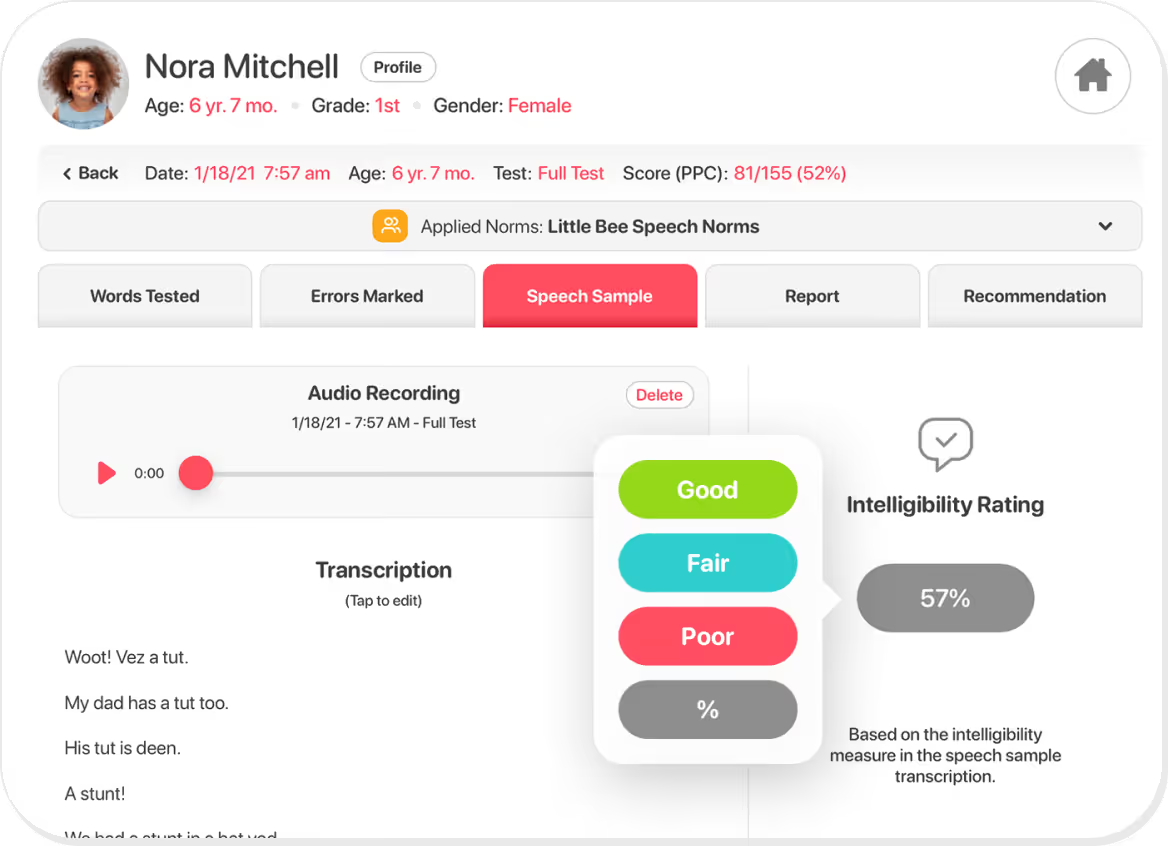
You will have an opportunity to rate the student’s intelligibility after each test and speech sample to track speech clarity and assess the presence and severity of speech delays.
The rating can be updated in the results by reviewing the speech sample recording and scoring each word as intelligible or unintelligibile for a more accurate measure of intelligibility.

For more information on determining speech intelligibility expectation, download our FREE GUIDE.
Try Articulation Test Center Hive FREE for 14 days and level up your assessments.
Free trial also includes Articulation Station Hive, a powerful tool for the treatment of articulation and phonological disorders.


Scores Summary
The score summary screen displays the student identifier, progress graphs for Percent Phonemes Correct and Intelligibility, and a comprehensive list of all administered tests, providing a clear overview of student performance.
Tap any test to access detailed sound error analysis, speech sample recordings, written reports, and practice recommendations.

Words Tested
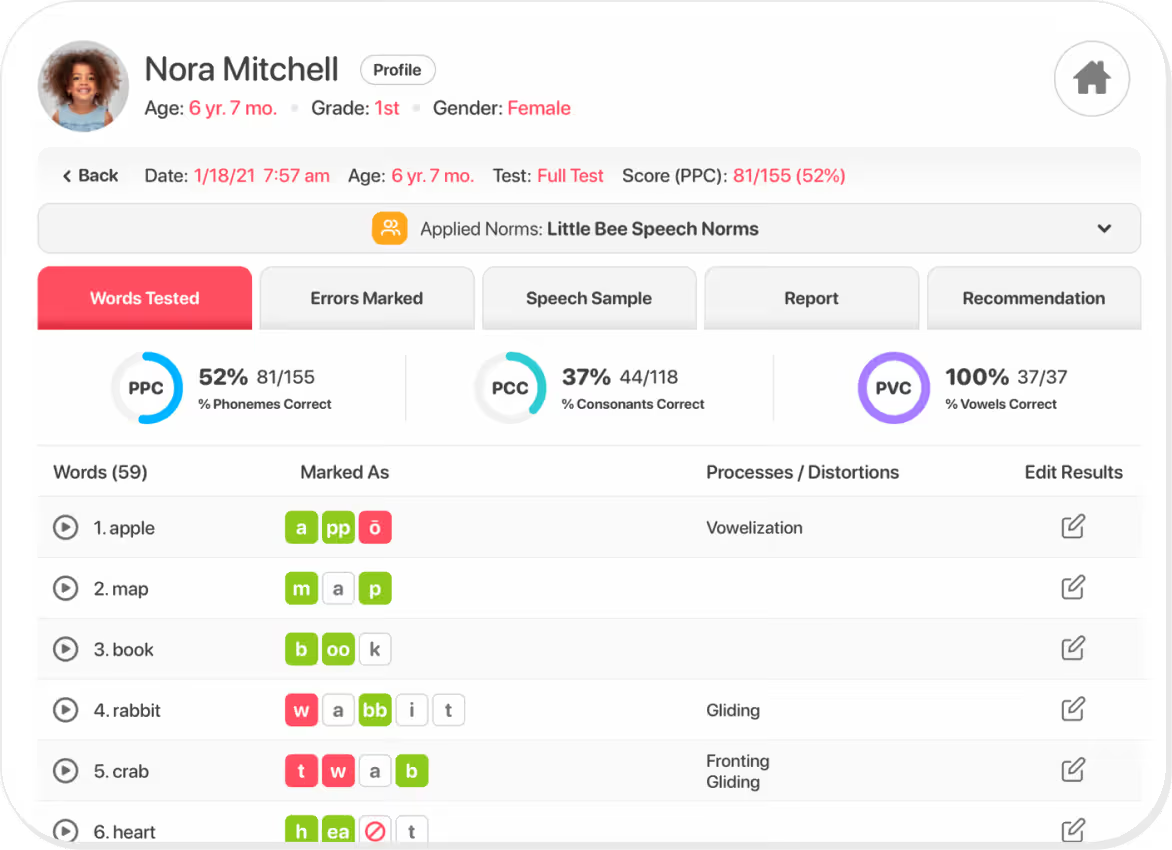
The Words Tested screen displays all the tested words, their scores, and any marked phonological processes or distortions. You can listen to recordings, review notes, and easily make edits by returning to the test, ensuring accuracy and flexibility.
Errors Marked
The Errors Marked screen provides a comprehensive view of all errors identified during the test, including sound errors, errors by place and manner of articulation, substitutions and omissions marked, and phonological processes and distortions marked.
Each error category is displayed on its own screen, offering more detailed information for a clear, thorough analysis.
Sound Errors
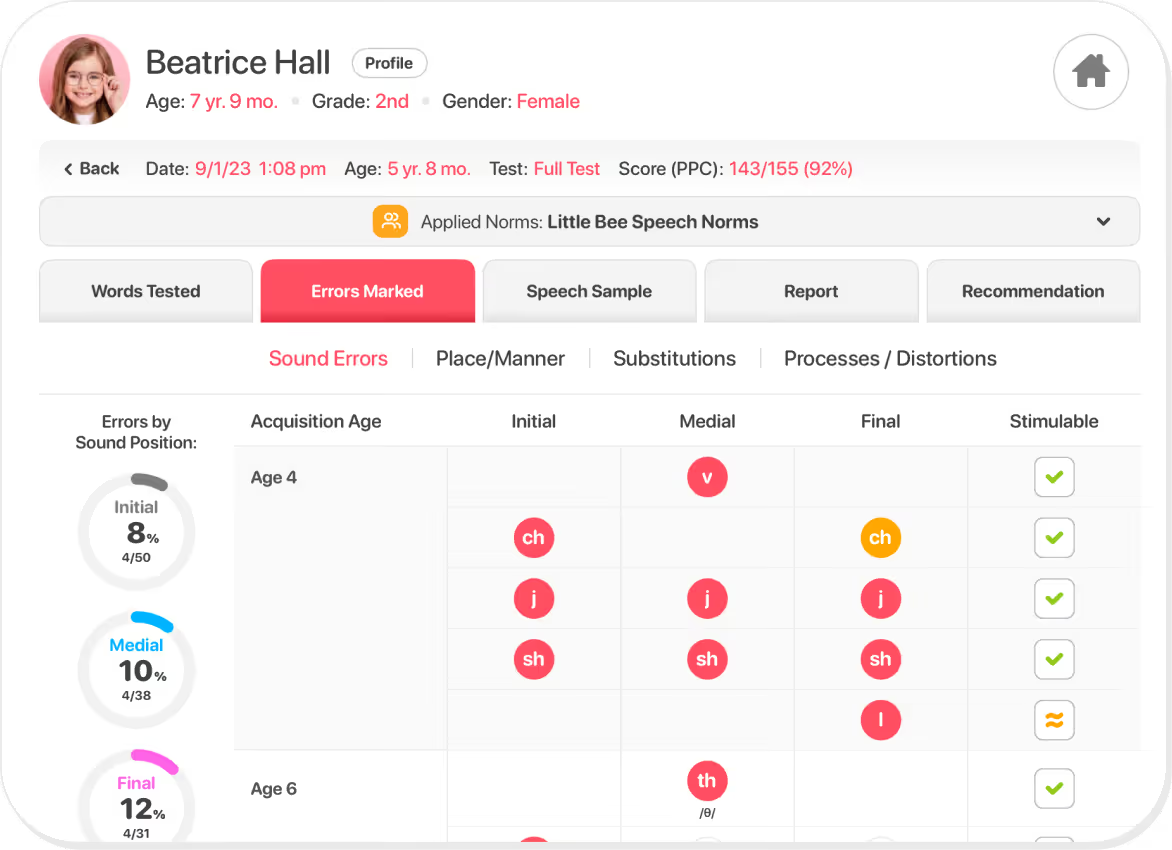
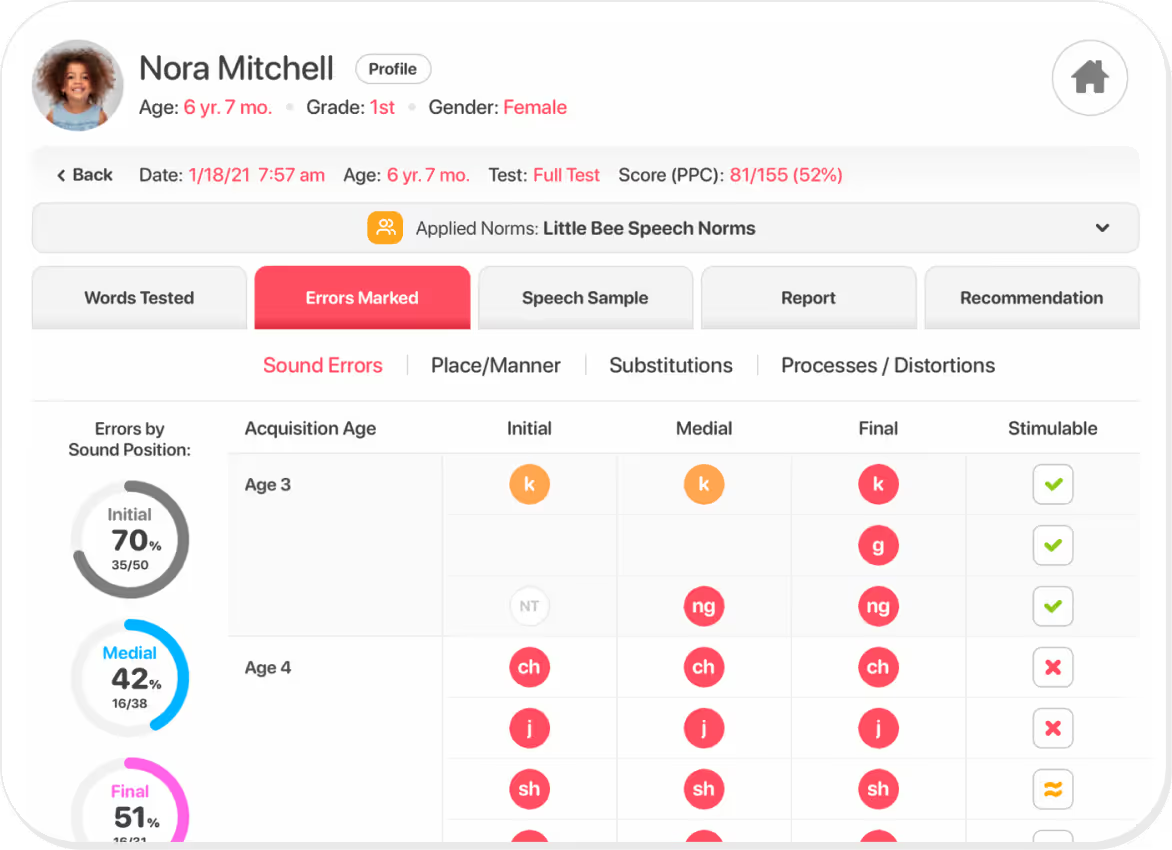
The Sound Errors screen displays all the sounds that were marked as “incorrect” in red circles and “approximate” in orange circles. Each incorrect/approximate error is reported based on sound position and age of acquisition.
On the left, sound errors are categorized by sound position. On the right, you can mark which sound errors are stimulable.
Place & Manner
The Place/Manner screen will display sound errors based on the place of articulation and on the manner of articulation. It will also display vowel errors by position and quadrant when tested.

Substitutions
The Substitutions screen displays all the substitutions made and omissions marked for the sounds tested.

Processes & Distortions
The Processes & Distortions screen displays all the phonological processes and distortions marked in the test. It does this with a visual graph as well as a list of processes marked. Processes with a percent occurrence of 40% or more are considered active processes.

Speech Sample
The Speech Sample screen has the audio recording taken from the speech sample scene activity, saved and available for playback.
The intelligibility rating can be updated and a transcription can be entered or viewed from this page.
Report
The Report presents a detailed summary of the selected test results, including scores, error patterns, intelligibility ratings, and recommendations for practice, making it easy to track progress and share findings with parents or colleagues.
You can edit the summary section to include any details specific to the client.
When sharing the report, you also have the option to show or hide sections. Sometimes you may not need to send all the information, but everything is still there for you to reference when you need it!


Extra sweet features that will help you test smarter.
Articulation Test Center Hive is packed with additional features that are designed to make speech assessments more flexible, more insightful, and more efficient than ever.

Custom Norms
Add and manage customized normative data for speech sound acquisition.

Student Profiles
Include case history and student goals within individual student profiles.

Student Management
Update, archive, or delete student records.

Student Privacy
Protect student privacy with initials-only display.

Phoneme Percentage Tracking
Track % Phonemes Correct, % Consonants Correct, and % Vowels Correct.

Phonological Processes & Distortions Reference
Access definitions, examples, and typical ages of elimination.

Stimulability Measurement
Mark speech sound errors for stimulability.

Intelligibility Tracking
Update and track student intelligibility.

Test Results Management
Move and share test results efficiently

Test Results Sorting
Sort test results by date, age, test administered, score, intelligibility, and completion status.

Customizable Reports
Select and/or edit test results to be included in auto-generated reports.

Test Results & Recordings Editing
Edit saved test results and recordings

Cross-Device Data Synchronization
Sync data seamlessly across multiple devices.

Practice Recommendations
Sound errors and phonological processes considered delayed are recommended for practice.

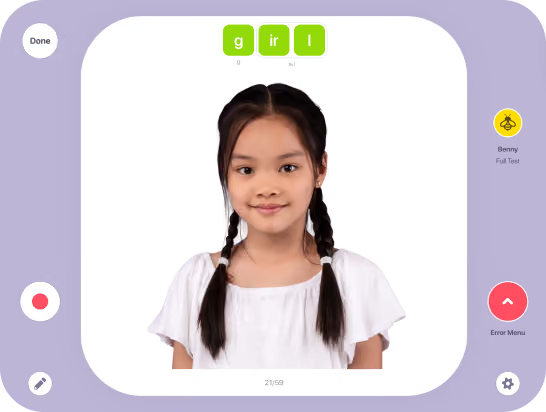
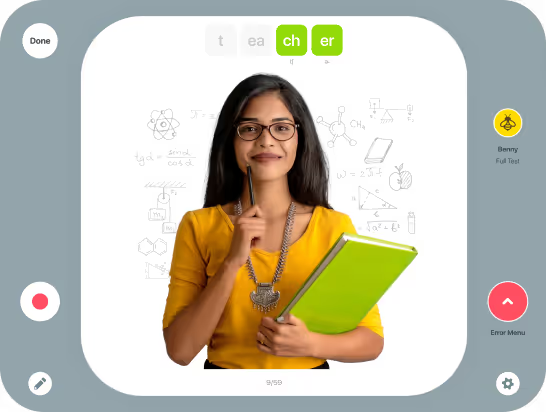
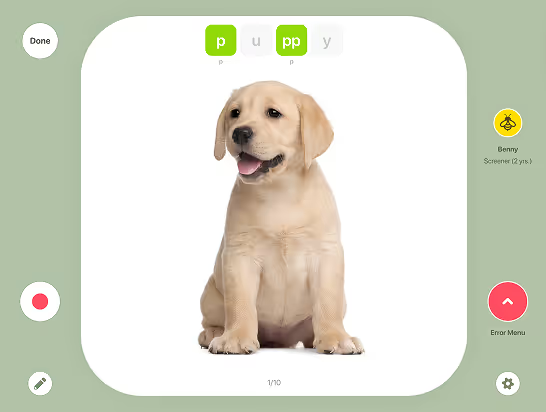
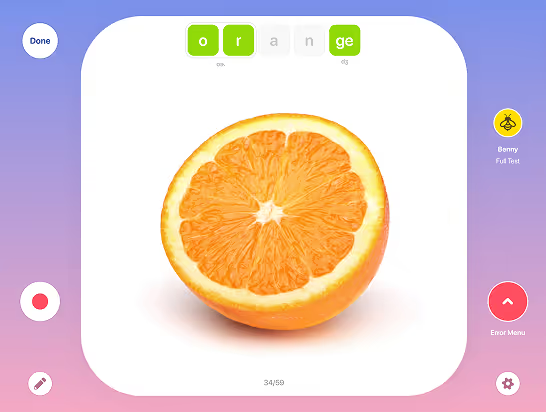
Background Color Themes
Keep your testing environment fresh by selecting a background color that feels right for you or helps your student feel at ease during their assessment.







Research-Based
Articulation Test Center Hive is a criterion-referenced assessment tool developed based on current research regarding speech sound developmental norms, ensuring accurate and reliable results you can confidently rely on.
- Speech Sound Norms
- Intelligibility Ranges
- Phonological Processes
- Distortions
The speech sound norms, intelligibility ranges, and the ages at which phonological processes and distortions are typically eliminated are based on the research listed below.

What SLPs are saying…
"I LOVE this app! It’s quick to use, allows marking of errors with ease, has an audio recording section for speech language sampling and generates very thorough reports that can be cut and pasted into report templates. It’s saved me SO much time with report writing! Plus, no more lugging around paper copies and flip charts!"
"I use the screener several times throughout the school year to show students and parents progress. One little boy who gets so frustrated with his errors was so excited yesterday to see how much he has improved."
"The ability to use Articulation Test Center Hive on my iPad has been a game-changer for my students. The interactive nature of the app makes testing far easier, as students are more engaged and willing to participate. The built-in supports, such as allowing students to tap for picture names and enabling examiners to record productions for further analysis have significantly enhanced my ability to gather accurate data and support my students."
"This app is user-friendly, the reports are thorough and easy to understand, and it saves me time in test administration and scoring. I love that it's included in the Little Bee Hive pro subscription! This is a good value and makes articulation testing more accessible. Highly, highly recommend!"
"I find Articulation Test Center Hive extremely easy to use, and it keeps all my data in one place. I use it at multiple schools on my iPad for easy access. I love how it automatically gives errors in place/manner and phonological processes. My school does not reimburse me for this app, but I pay for it myself."
"Articulation Test Center Hive is quick to use, allows marking of errors with ease, has an audio recording section for speech language sampling and generates very thorough reports that can be cut and pasted into report templates. It’s saved me SO much time with report writing! Plus, no more lugging around paper copies and flip charts!"
"Articulation Test Center Hive makes it easy and quick to assess students. It also makes IEPs a breeze! I typically use the app to assess my students a few times a year to check-in on their progress and determine new speech sound goals/targets for their IEP. It's easy to share the report with parents as well!"
